How to pay in credit card installment
• Website Thaiairways.com
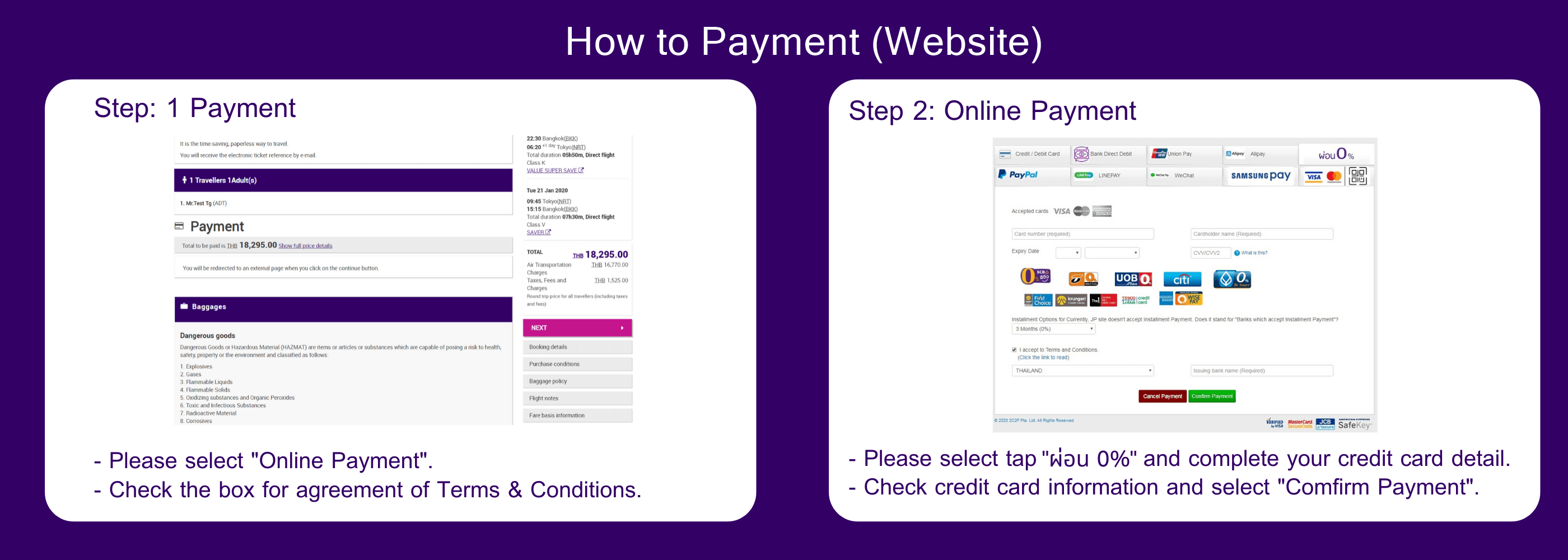
Step 1: Payment - Please select "Online Payment". - Check the box for Agreement of Terms & Conditions
Step 2: Online Payment
- Please select tab "ผ่อน0%" and complete your credit card detail.
- Check credit card information and select "Confirm Payment"
• Mobile Application Thai Airways
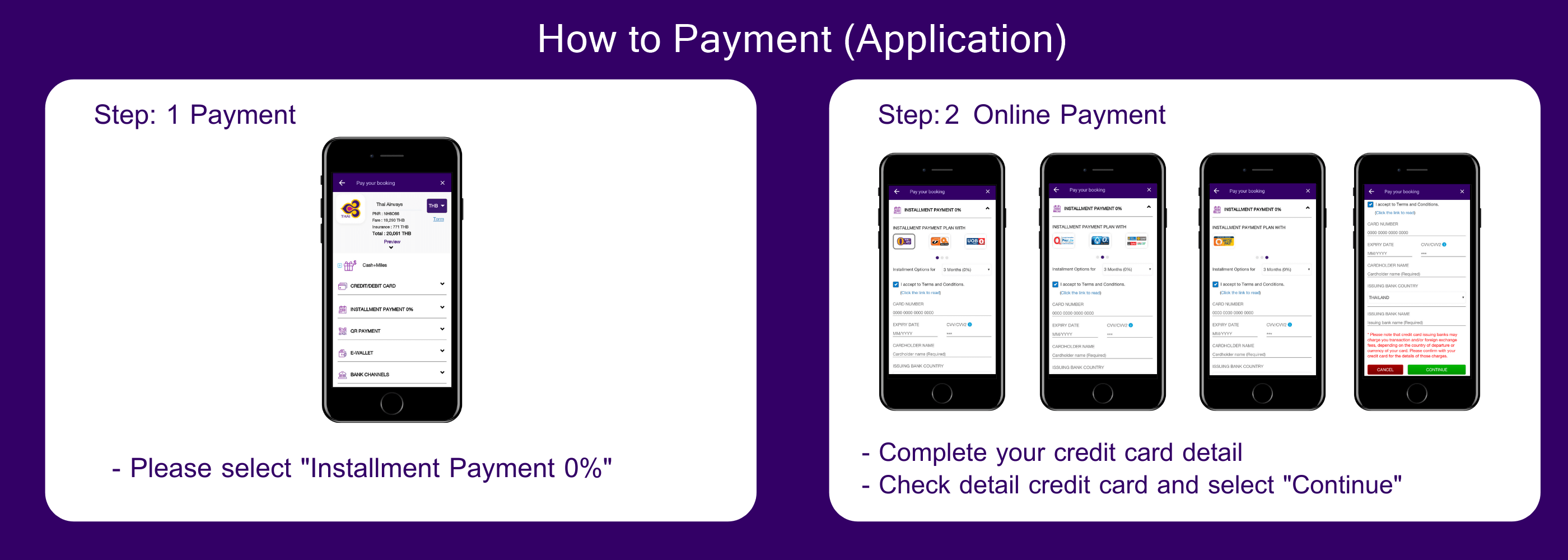
Step 1: Payment
- Please select tab "Installment Payment 0%"
Step 2:
- Complete your credit card detail
- Check detail credit card and select "Continue"